Business details
Your business details contain your business name, address, and VAT number, and they are used for, and printed on, your invoices. When you add or change any of those details, future invoices will use them.
Adding your business details
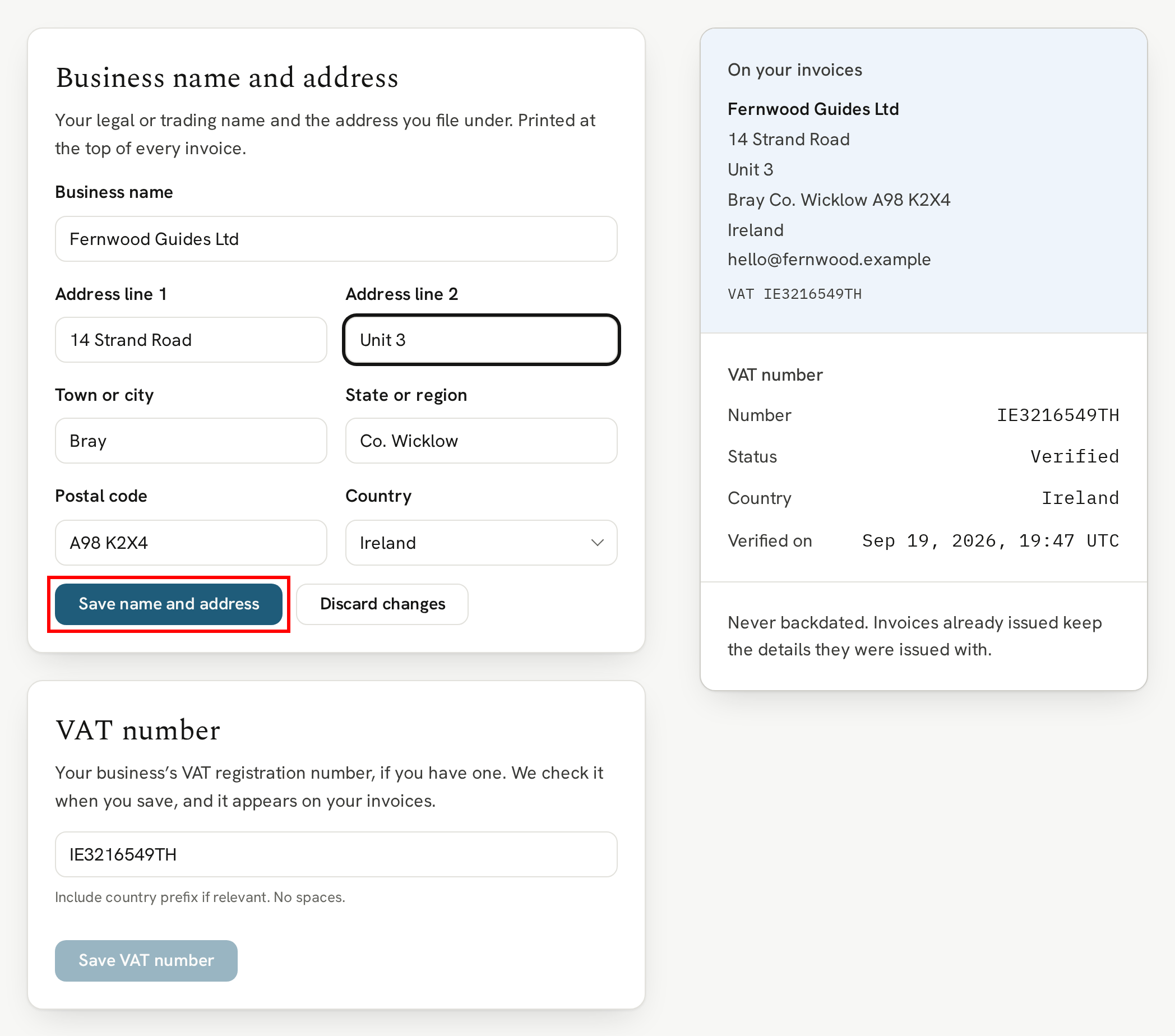
Head to Business details in Settings. Add your business name and the address you file under, and your VAT number if you have one. Every field is optional, so add as much as your records need.
As you type, On your invoices shows how they'll read. Each card has its own Save: click "Save name and address" for your business name and address, and "Save VAT number" for your VAT number.
Until you add them, your invoices show your library's name and your sign-in email.
Your VAT number
Enter your VAT number with its country prefix and no spaces. When you click "Save VAT number", we check it, and the page tells you whether it was verified. Once it's saved, your VAT number is printed on every invoice from then on.
Invoices already issued
Invoices you've already received keep the business details they were issued with, so your records stay exactly as they were.
Next
See how your monthly bill works and where your invoices are.
Next → Billing and invoices