Creating a delivery from an automation tool or script
When you use an automation tool such as Zapier, Make, n8n or IFTTT, or your own script, it sends a delivery by making one request to Veluril. Let's take a look at what goes into it.
Where the request goes
The tool or script sends a POST request to this address:
https://api.veluril.com/api/v1/deliveries
The two headers
Every request includes two headers:
Authorization: Bearer your-api-key
Idempotency-Key: Order-123
Authorization is where you provide your API key. If you don't have one yet, Creating and revoking API keys shows you how.
The Idempotency-Key is your unique reference for that delivery. It needs to be unique to that delivery and it stops duplicate deliveries as we check that specific delivery. Examples might be Order-123 or TEST-1 . But it's your unique reference for that delivery. The next delivery you generate via the API would need a different Idempotency-Key such as Order-124 or TEST-2 .
The Idempotency-Key ensures your recipient never gets a duplicated delivery. If your automation tool sends the same 'create delivery' request again within 24 hours, say after a dropped connection, but we've already generated it, we recognize the Idempotency-Key and ensure it's created only once.
The delivery itself
The body of the request is JSON, with the recipient and the bundles to send:
{
  "recipientEmail": "jordan.fields@example.com",
  "items": [
    { "bundleId": "bab5e1c4-7f2a-4d9b-a3c6-51e8b07d920d" }
  ],
  "recipientName": "Jordan Fields",
  "sourceRef": "Order-123"
}
- recipientEmail is who the delivery goes to, usually the email address that came with the sale.
- items lists the bundles to send, each by its bundle ID, in the order your recipient sees them. If one sale includes several of your products, list each bundle here so they arrive together in one delivery.
- recipientName is optional. It's for your records: it's shown on the delivery, and you can search your Deliveries page by it.
- sourceRef is optional. This is your unique reference for the delivery, and it's shown on the delivery details page as the API reference:
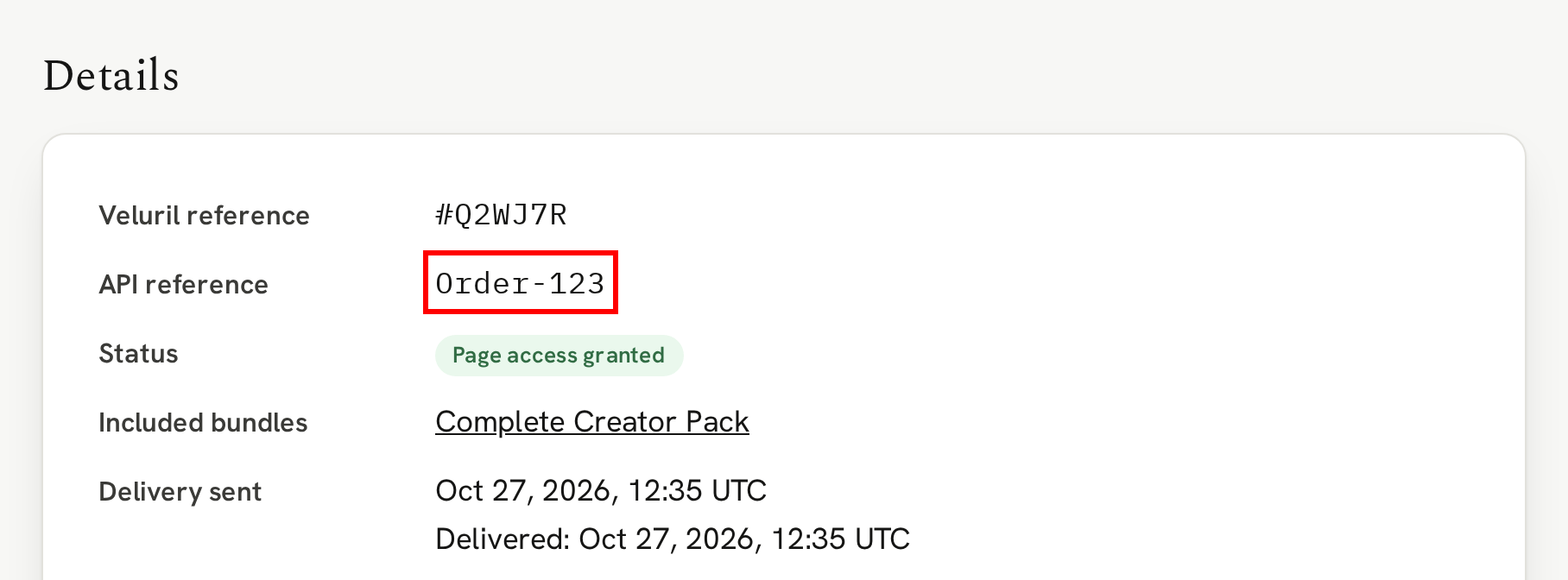
Note that the Idempotency-Key is not the same thing as the sourceRef. The Idempotency-Key is for the Veluril API system to recognize which delivery your API call is referencing. The sourceRef is for you, in your delivery details page, to recognize the delivery. It can be easier to give them both the same value, such as Order-123 or TEST-1 , but they are not the same thing.
When the request succeeds, the delivery email is already on its way, and the delivery is on your Deliveries page like any other.
The one exception is a recipient who has marked one of your emails as spam. The request still succeeds and the delivery is recorded, but it's automatically revoked and nothing is emailed. See When a recipient marks your email as spam.
Finally, this is a basic introduction to the API calls you can make. If you are developing your own app or need more details, our API documentation is the place to look.
Next
Your tool or script can also hear back from Veluril, for example when a delivery's email goes out to your recipient.