When a recipient marks your email as spam
If a recipient marks one of your emails as spam, we revoke access to their deliveries, and the email address is blocked from receiving future emails. To protect both Veluril and your sending reputation, this happens as soon as we receive the notification of the spam report. We email you to let you know and, if it was a mistake on their part, you can restore their access with a new email address.
What you see
On your Deliveries page, each delivery to that recipient is marked "Marked as spam". Open one, and the top of its page tells you what happened and when:
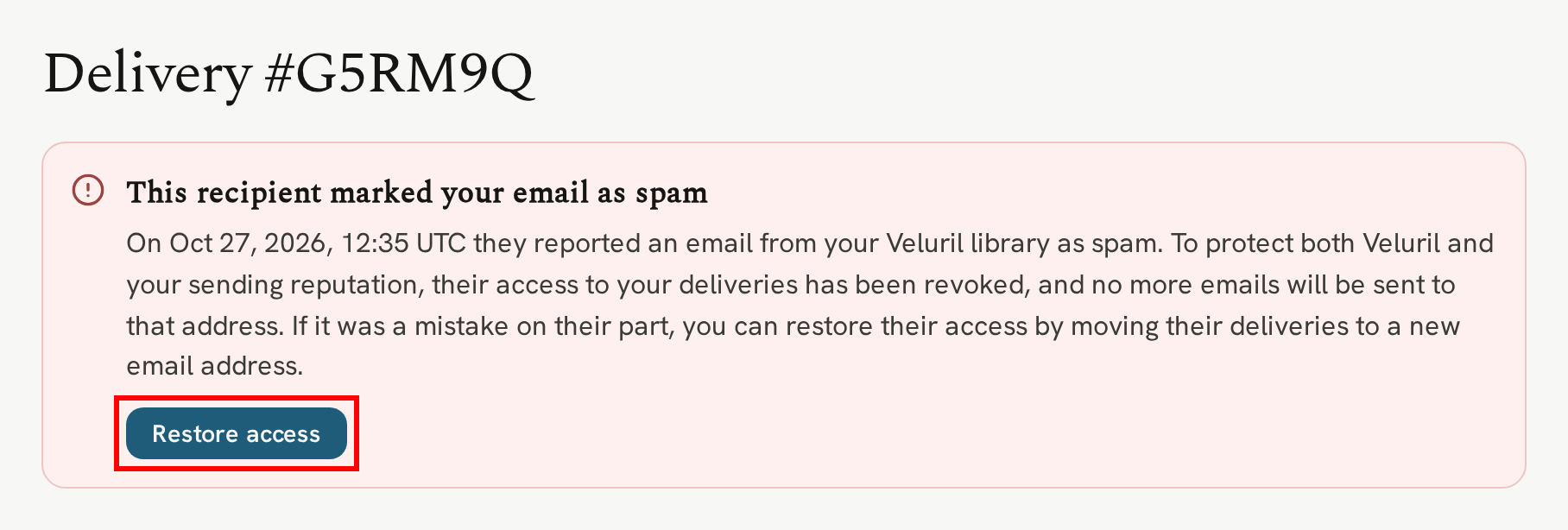
Their download page shows that access has been revoked, the same as any delivery you revoke yourself.
Restoring access with a new address
Their old email address is blocked from receiving further deliveries and, if you establish it was a mistake on their part, the way to restore access is to assign a new email address to any blocked deliveries. Click "Restore access with a new address", enter their new email address, check the box to confirm the spam report was made in error, and click "Restore access":
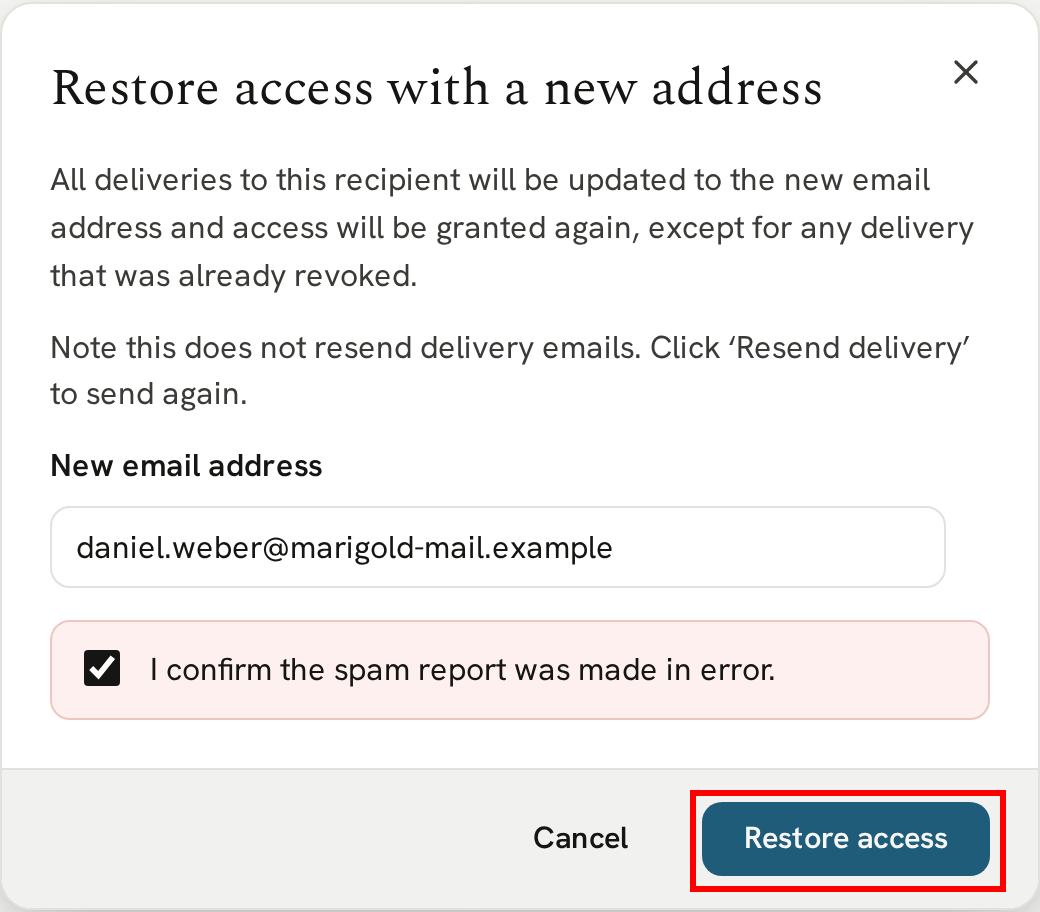
Every delivery then moves to the new address and access is granted again. A delivery you'd already revoked before the report stays revoked.
Restoring access doesn't email them. To send them their delivery, click "Resend delivery" on its page. See Resending a delivery.
Sending to them again
The address that reported the email as spam stays blocked. If you try to deliver to that email, we remind you it's blocked and ask for a different address.
A new sale for them, from Square or your automation tool, is still recorded so you can see it. It's automatically revoked and marked "Marked as spam", and nothing is emailed. Restoring access with a new address opens it along with the rest.
Next
For everything else you can do with a delivery, see Controlling access to a delivery.