When a sale is refunded or disputed
If you use Veluril with an external sales platform such as Square, this is how refunds and disputes are handled.
Choosing what happens
As the seller, you can choose what happens when Veluril receives a refund or dispute notification about one of your deliveries.
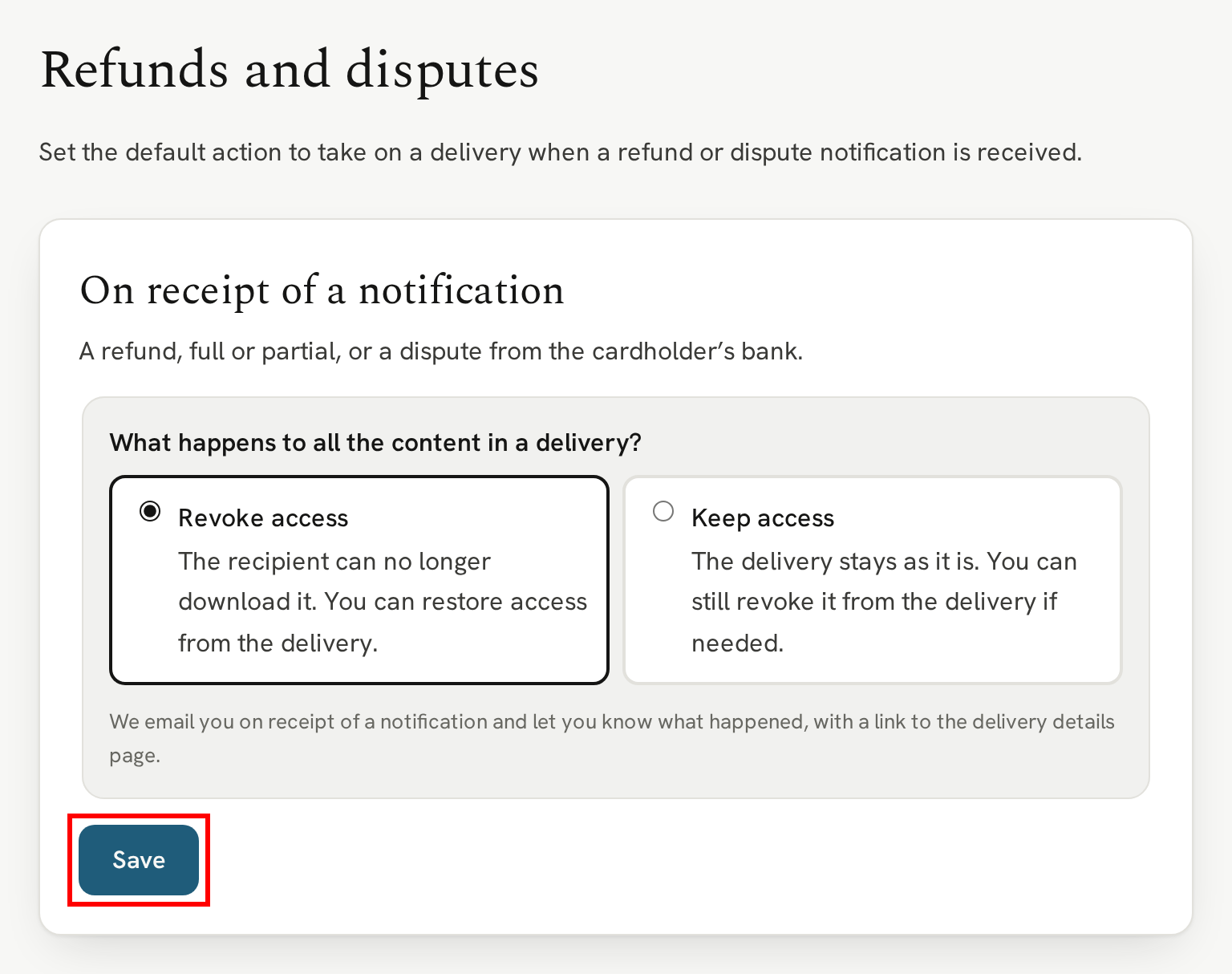
The default action is to revoke access to the delivery. That means the recipient was refunded and so their access is revoked. Or they entered a dispute and their access is revoked.
That would also apply to partial refunds (we don't always get told whether the refund is a full refund or a partial one).
If you stick with the default, remember that you can grant access again at any time.
However, if you prefer, you can choose the opposite approach and not revoke access on receipt of the notification. You can then manually revoke access to the whole delivery or specific items in it.
You'll find the choice in Settings → Refunds and disputes:
When a notification arrives
When Square tells us a sale was refunded or disputed, we act on your choice straight away.
With Revoke access, your recipient can no longer download the delivery, and its activity shows that Veluril revoked it after the refund or dispute.
With Keep access, nothing changes for your recipient.
Either way, we email you to say what happened, with a link to the delivery.
Giving access back
To give your recipient access again, open the delivery and click "Restore access", just as you would after revoking it yourself. See Controlling access to a delivery.
If you win a dispute that revoked access, we email you to let you know, with a link to the delivery. We don't restore access automatically, because you may have revoked it for a reason of your own.