What your recipient receives
When you deliver a bundle, your recipient gets one email with a link to their private download page holding their files. This is what they experience.
The delivery email
The email comes from your library name so they know who it’s from. It shows them what bundle, or bundles, are in their delivery:
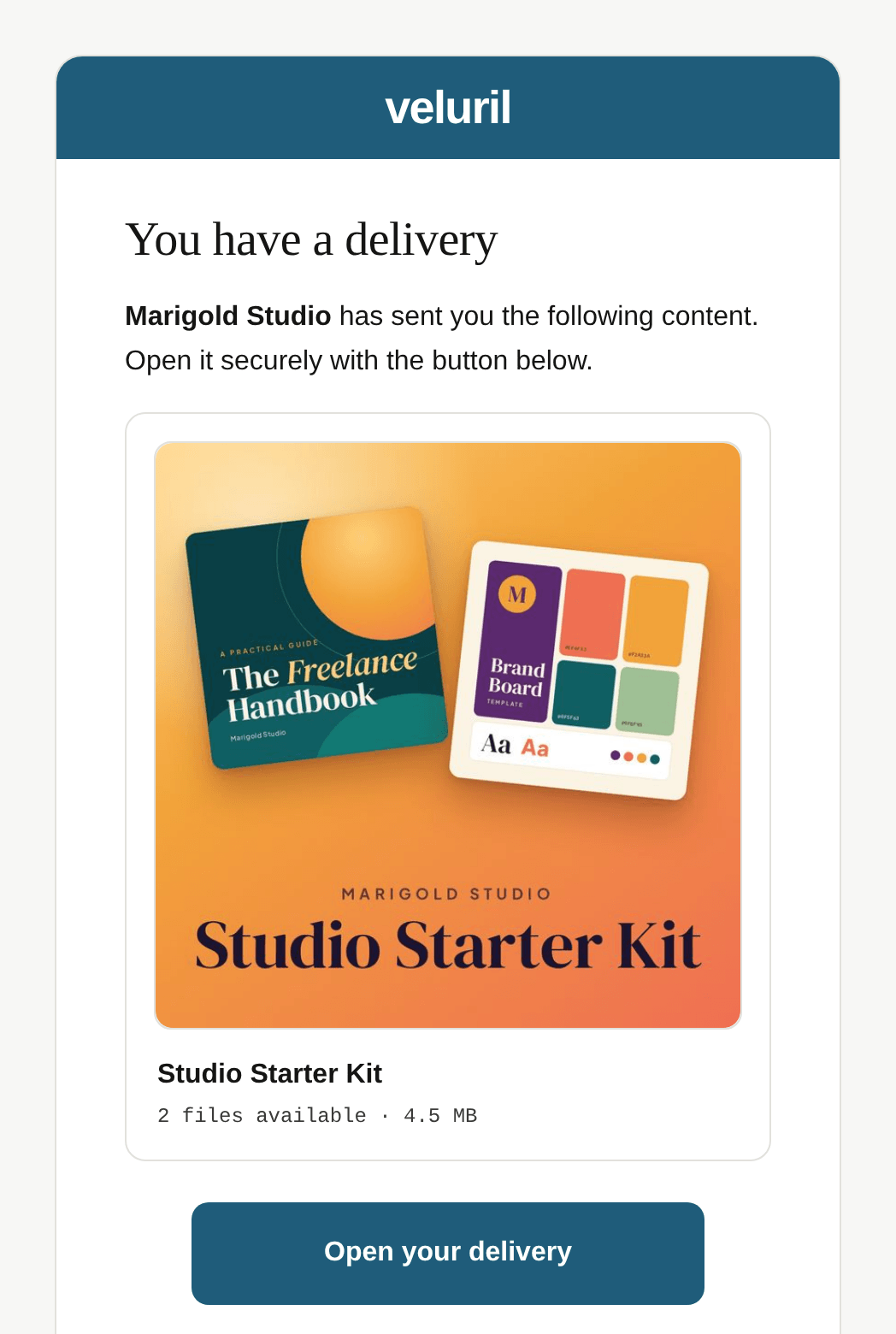
If they reply, the reply comes to you, at your contact email. And every email includes a delivery reference, like #K7M2QX. It’s the same reference you see on the delivery in your Deliveries page, so when a recipient quotes it, you can find their delivery straight away.
The email shows your branding, too: your logo in place of the Veluril name at the top, your color on the button, and your own opening and closing lines if you’ve added them in your Settings.
The download page
The button opens their download page. It’s headed with your library name, and lists every file in the delivery, each with its own "Download" button:
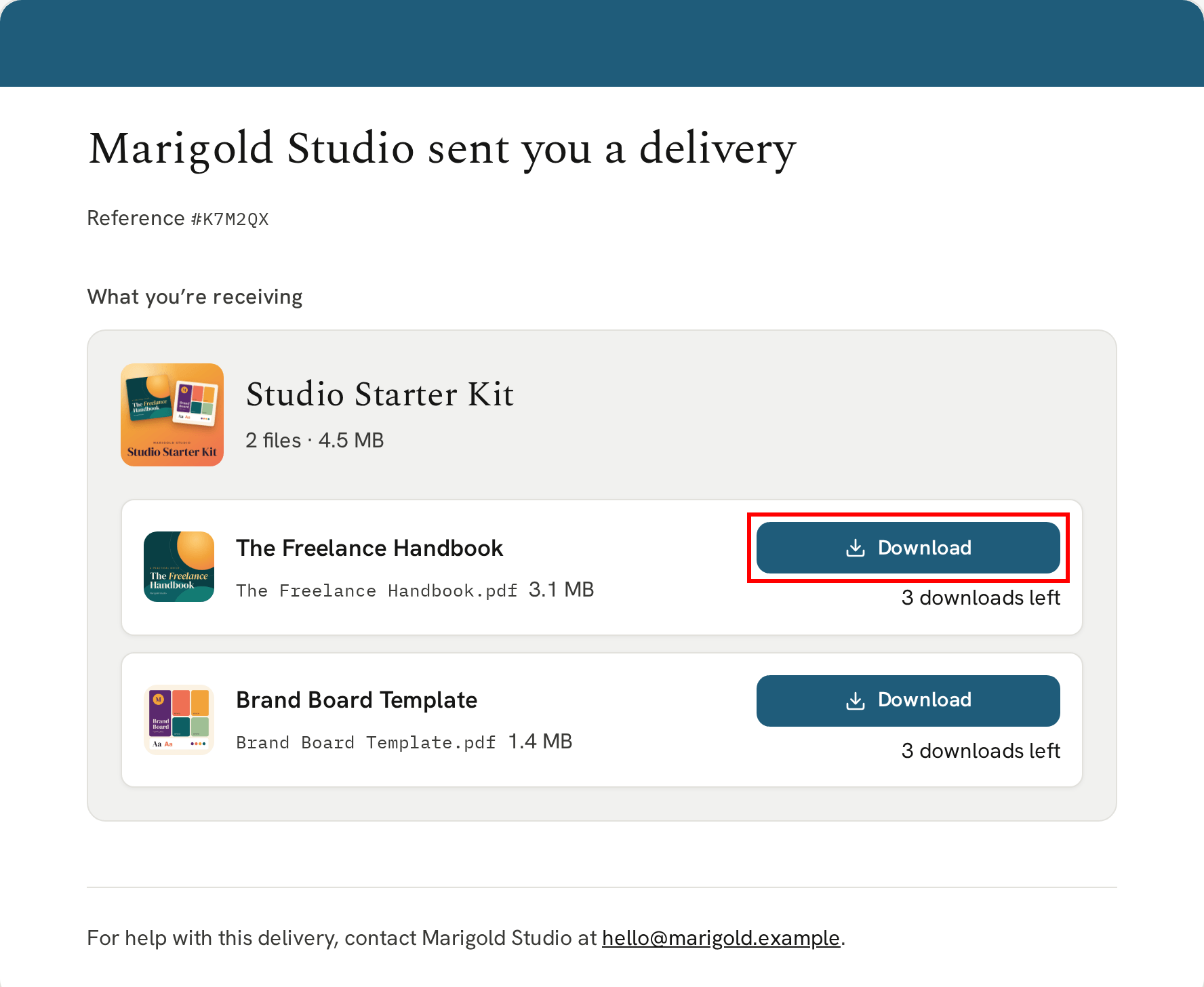
Beside each button, they can see how many downloads they have left, and how long, if you’ve set a time limit. See How your recipient's downloads are counted.
At the foot of the page is your contact email, so if anything goes wrong, they know to ask you.
Revisiting the download page
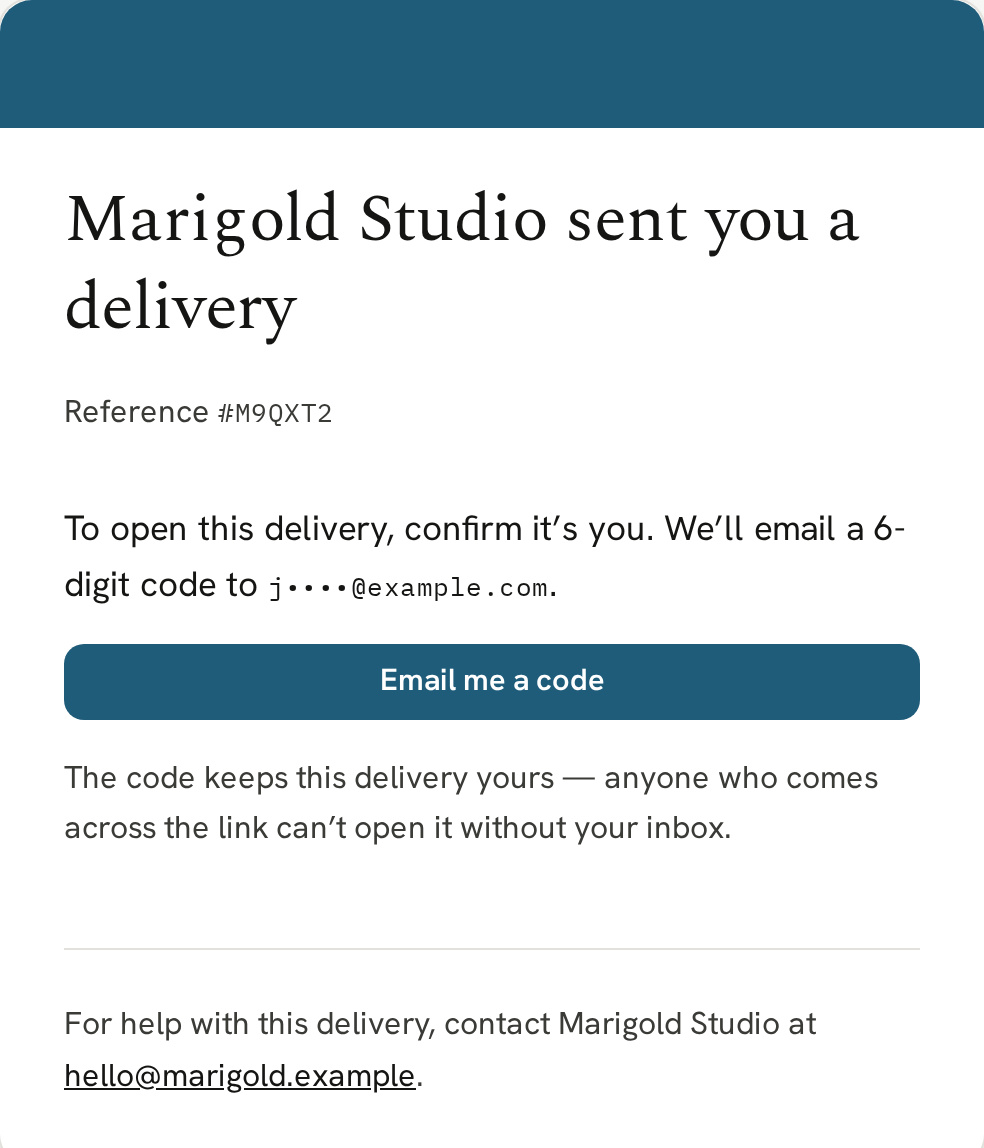
The first time a recipient opens their download page, everything shows straight away. Once they’ve downloaded a file, revisiting the page asks them to confirm it’s them: we email a 6-digit code to the delivery email address. This helps stop casual sharing of the download page link and secures their content.
Next
The quickest way to see all of this for yourself is to deliver a bundle to your own email address.