Why Veluril checks location safety in your photos
A photo you take, or an image you create, can contain the place it was made, like your home or your studio, without you ever seeing it or even knowing about it. So when you upload an image, we check it for location data first. If we find any, we let you know before anyone can download it, and you choose what happens to it.
Why we check
Most phones, and many cameras, save their location with every photo they take, and some editing apps keep it, or even add a place name, when you export the image. Anyone who downloads the file can read it, and it can be precise enough to show a discoverable place.
If that location information is private to you, we don't leave it to chance. We'd rather you know it's there and decide for yourself than find out after the file has gone out.
When we find a location
If an image you upload contains location data, its page shows this card, where you can choose how to deal with the data:
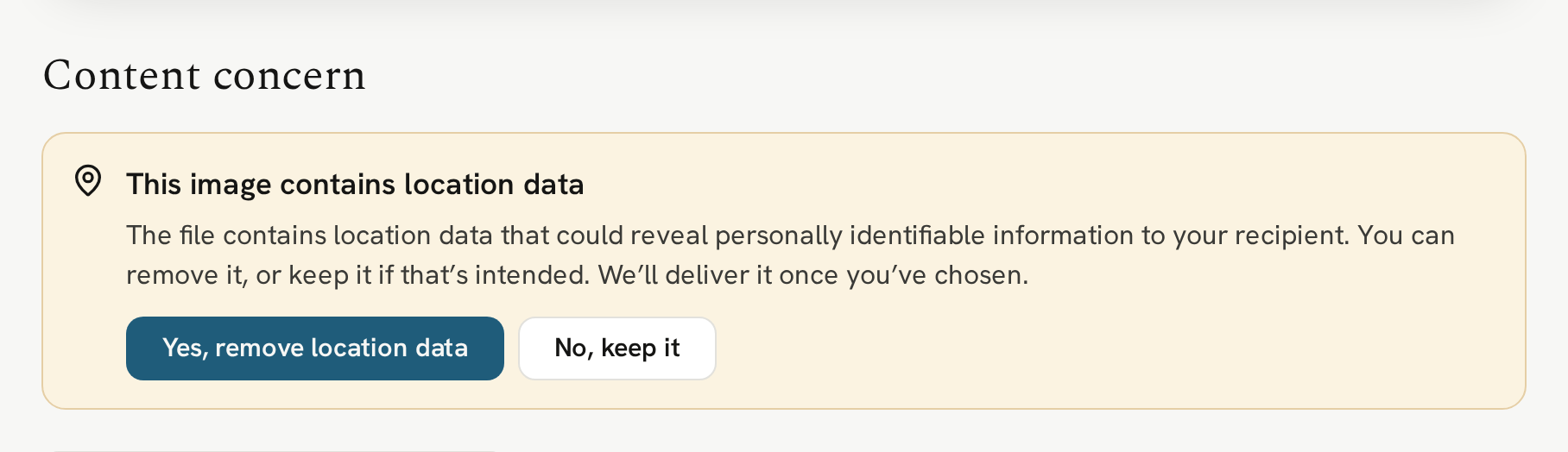
If you choose to remove the information, the coordinates (including the ones a drone records), and any place name are removed. Nothing else about the image changes: it keeps its camera details and copyright. The original on your computer is untouched.
If you choose to keep the data in the image, it will be delivered with those coordinates. That's the right choice for example, when the place is part of what you're sharing, like a photo guide to hiking trails, where your recipient wants to know where each shot was taken.
If you change your mind later, replace the file and we'll check it again.
Occasionally, a file's location can't be removed automatically. If that happens, we let you know and you can keep the image as it is, or remove the file and upload a version with the location already removed.
We check every image you upload as a file of its own, even when you upload several at once. If you're delivering a set of photos in, say, a zip file, be sure to check for location data before you upload it, as we are not able to check the contents of a zip file. This applies to any compressed file containing multiple documents or images: we're not able to check inside it.
When we couldn't check an image
Once in a while, we're unable to check an image to see if it contains location data, usually because it's very large or saved in an unusual way. Rather than assume it's fine, we let you know, and you choose what happens next:
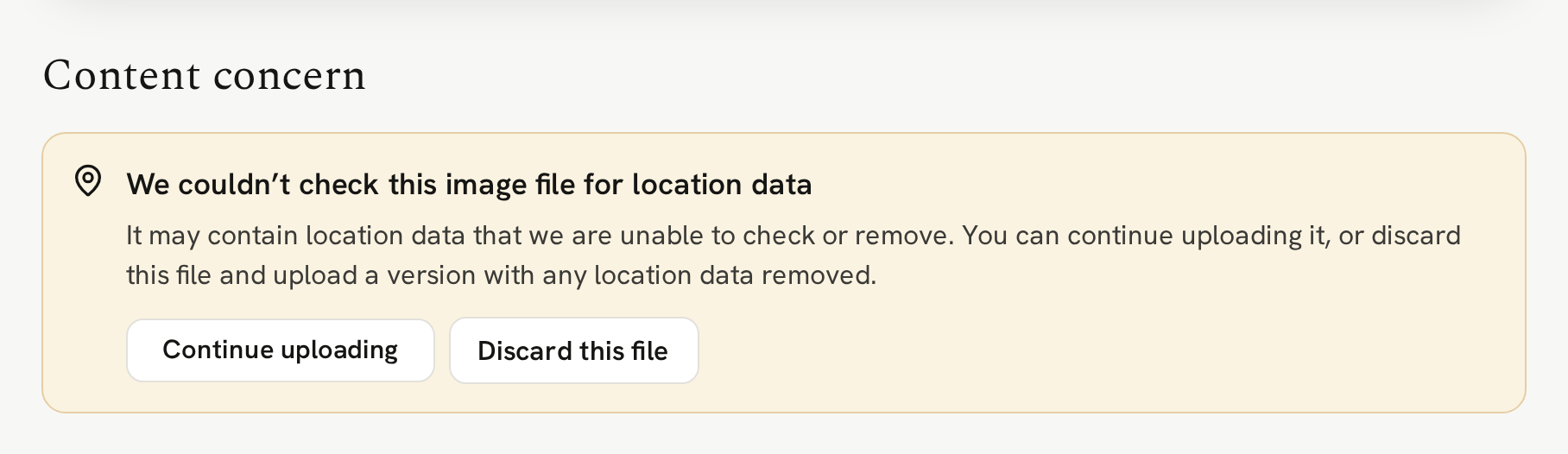
Keep in mind that when we can't check an image, that does not mean it does have location information, it just means that we were not able to check either way. As above, there are a couple of options: "Continue uploading" if you're happy to share it as it is, or "Discard this file" and upload a fresh version with location data already removed.
Replacing a file
When you replace a file, we check the new one in the same way. We don't deliver the replacement until you've made your decision on how to handle any location data. If you chose to email the people who have the file, that email goes out once the new file is live.
Next
With your content ready, the next step is to put it in a bundle.
Next → Creating a bundle